Word Online covers most free-Word needs. You can use Microsoft Word Online at no cost with just a Microsoft account, though it lacks some advanced desktop features.
Students get the full suite for free. Office 365 Education gives you full access to Word, Excel, and PowerPoint with a valid .edu email address.
The iPad version is a legitimate free workaround. Microsoft's free iPad app for Word works almost like the Mac desktop version once you add a keyboard.
One-time purchases exist if you'd rather skip subscriptions. Office 2024 starts at $179.99 USD for the Home edition, though you only get security updates, not new features.
Quick answer: To get Microsoft Word for free on Mac, you can use Word Online, a Microsoft 365 trial, an .edu email, or the iPad app.
As someone who has been using a Mac for over a decade, I’ve had this question over and over again: How do I get Microsoft Word without breaking the bank? So I've tested every method and found some alternatives that might work even better for your needs.
Quick comparison of free and paid Microsoft Word options
Here's a snapshot of all your options for using Microsoft Word on Mac. I've included the pricing, key features, and who each solution works best for:
Included in Setapp* , membership from $14.99 USD/mo + tax, free for 7 days
*Setapp is a platform with 270+ apps for macOS, iOS, and web. Try it free for 7 days.
Can I download Microsoft Word for free on Mac?
Short answer: You can't download the full desktop version of Microsoft Word for Mac completely free. Microsoft requires either a subscription or a one-time purchase for the desktop app.
When you search for "Microsoft Word free download," you'll find plenty of tutorials walking you through how to crack a trial version to get a license key. Not only is this illegal, but it also puts your Mac at serious risk of malware.
However, I've found several legitimate ways to access Microsoft Word features without paying:
Microsoft Word Online – Use the full web version for free with a Microsoft account
Office 365 Education – Get the complete suite free if you're a student or educator (check eligibility here)
Microsoft 365 trial – Test all features free for 30 days
iPad version – Use basic features free on iPad
Microsoft Office one-time purchase for Mac
Microsoft still offers Office as a one-time purchase for those who prefer avoiding subscriptions. The latest version, Office 2024, launched in October 2024 and supports macOS Tahoe.
Unlike Microsoft 365, you won't get future feature updates with a one-time purchase. You'll only receive security updates. Most importantly, you can install it on just one Mac.
Current one-time prices (as of 2026):
Office Home 2024: $179.99 (Word, Excel, PowerPoint, OneNote)
Office Home & Business 2024: $249.99 (adds Outlook and commercial use rights)
The one-time purchase makes sense if you use Word occasionally and don't need cloud storage or mobile apps. For heavy users, the subscription often provides better value.
Click Sign in (or create a free Microsoft account).
Select Word from the app launcher.
Create a new document or upload an existing .docx file.
While the online version of Word works surprisingly well for basic tasks, keep in mind that it lacks some advanced features. It's best suited for light editing or quick document reviews rather than complex projects.
How do I get a free Microsoft 365 trial?
Microsoft offers a 30-day free trial with complete access to all Office apps.
Add payment information (you won't be charged for 30 days).
Download and install Office apps on your Mac.
Remember to cancel before the trial ends if you don't want to continue. The subscription auto-renews for $129.99 per year.
What are the best free Microsoft Word alternatives?
If you're open to exploring alternatives to Microsoft Word on Mac, here are a few solid options worth trying:
Google Docs has evolved into a robust word processor. It handles tables, custom styles, images, and complex formatting. Best of all, it imports and exports .docx files while preserving most formatting. The real-time collaboration features often work better than Word's.
LibreOffice Writer offers a traditional desktop experience similar to older versions of Word. Part of the free LibreOffice suite, it provides full .docx compatibility and includes features like mail merge and bibliography management. The interface feels dated, but it's completely free and works offline.
FreeOffice TextMaker is another capable alternative from SoftMaker. It maintains better .docx compatibility than LibreOffice and offers a more modern interface. You can download it for free from FreeOffice's website.
How do I use Microsoft Word on iPad?
Microsoft offers a free iPad version with most features unlocked for screens under 10.1 inches, which is a surprisingly effective workaround.
To get Word on iPad:
Open the App Store on your iPad.
Search for "Microsoft Word" and download the official app.
Sign in with your free Microsoft account.
With iPad's keyboard support and trackpad compatibility, it works almost like the desktop version. You can edit documents, add comments, and sync files through OneDrive.
Explore powerful Mac writing apps
While Word dominates office environments, specialized Mac apps often provide better writing experiences for specific tasks. That’s why I prefer to use multiple apps, and below you’ll find my most-used writing apps for Mac: Craft, Ulysses, Focused, and more.
Craft – best for creating structured, beautiful documents
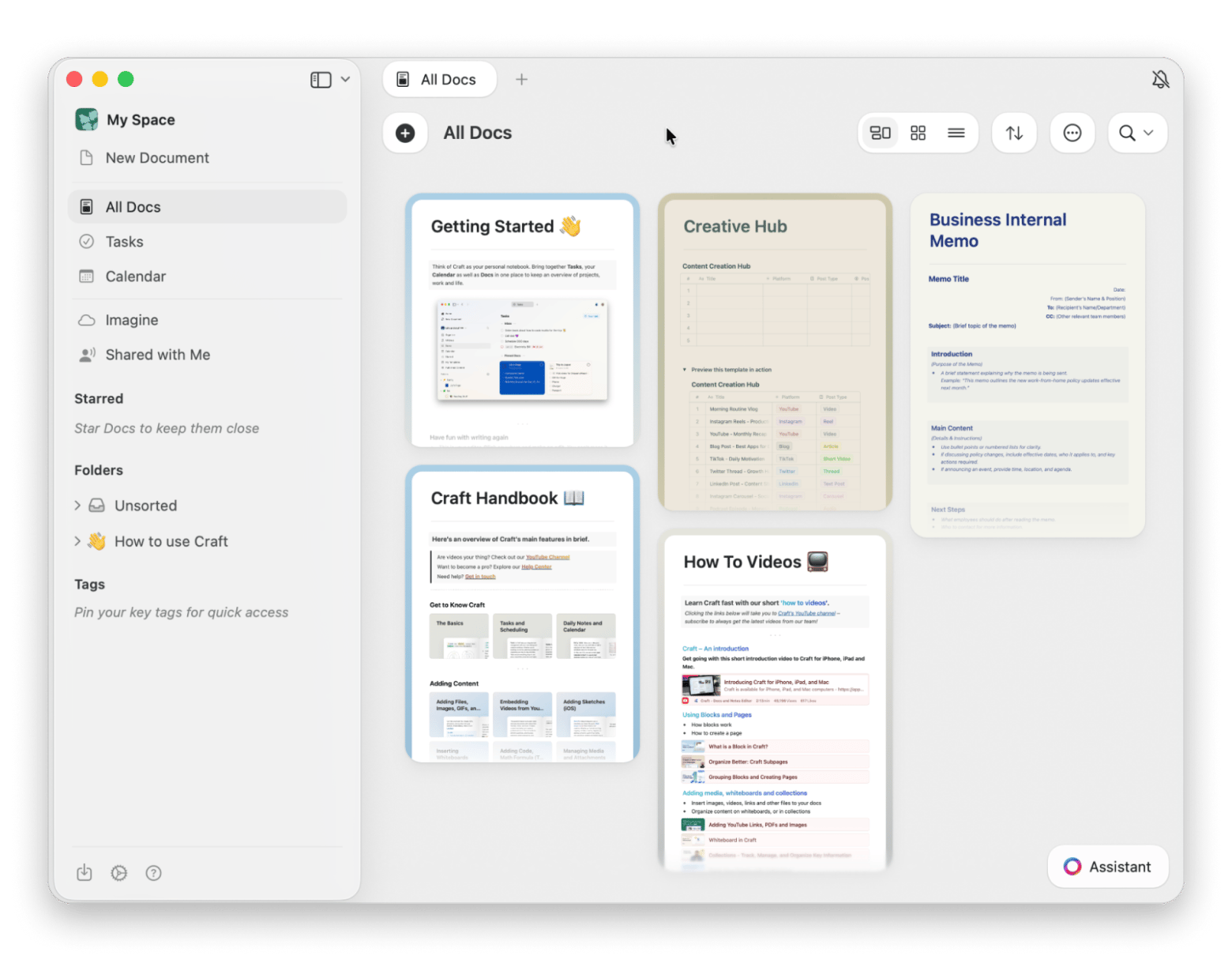
Craft is an AI-powered note-taking app for Mac and, honestly, one of the most impressive writing tools I've come across on my Mac. Whether I’m organizing a workflow, drafting a report, or mapping out a project, Craft handles it all with ease. Its feature set includes tables, Markdown support, block-based editing, backlinking, an AI Assistant, and multiple templates — it’s kind of a flexible workspace that adapts to how you think and work.
Personally, my favorite feature in Craft is adding summaries with the help of the AI Assistant. I often use it in my research to give others a clear overview before they dive into the details.
Ulysses – best for distraction-free writing
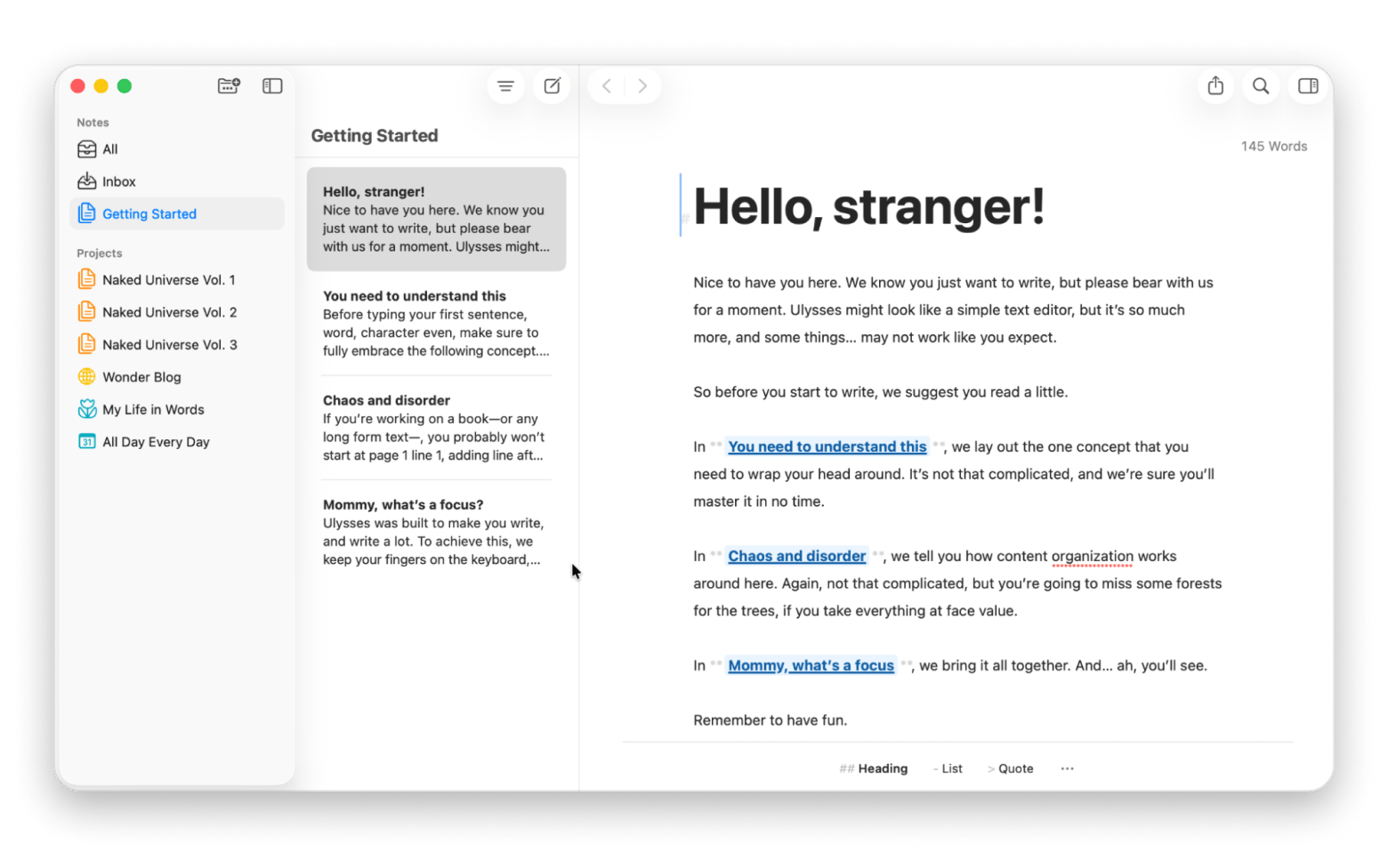
Ulysses creates the perfect environment for focused writing. Its minimalistic interface keeps distractions at bay while you work. The app includes built-in grammar and style checking, plus native Markdown support. When you're done, export directly to Word format, PDF, or publish straight to WordPress.
I can definitely recommend it for long-form writing, because it’s so helpful when it comes to managing the parts of your project, like chapters or any texts you’re actively working on.
Want distraction-free writing without the subscription math? Try Ulysses free for 7 days on Setapp.
Focused – best for writing with ambient soundtracks
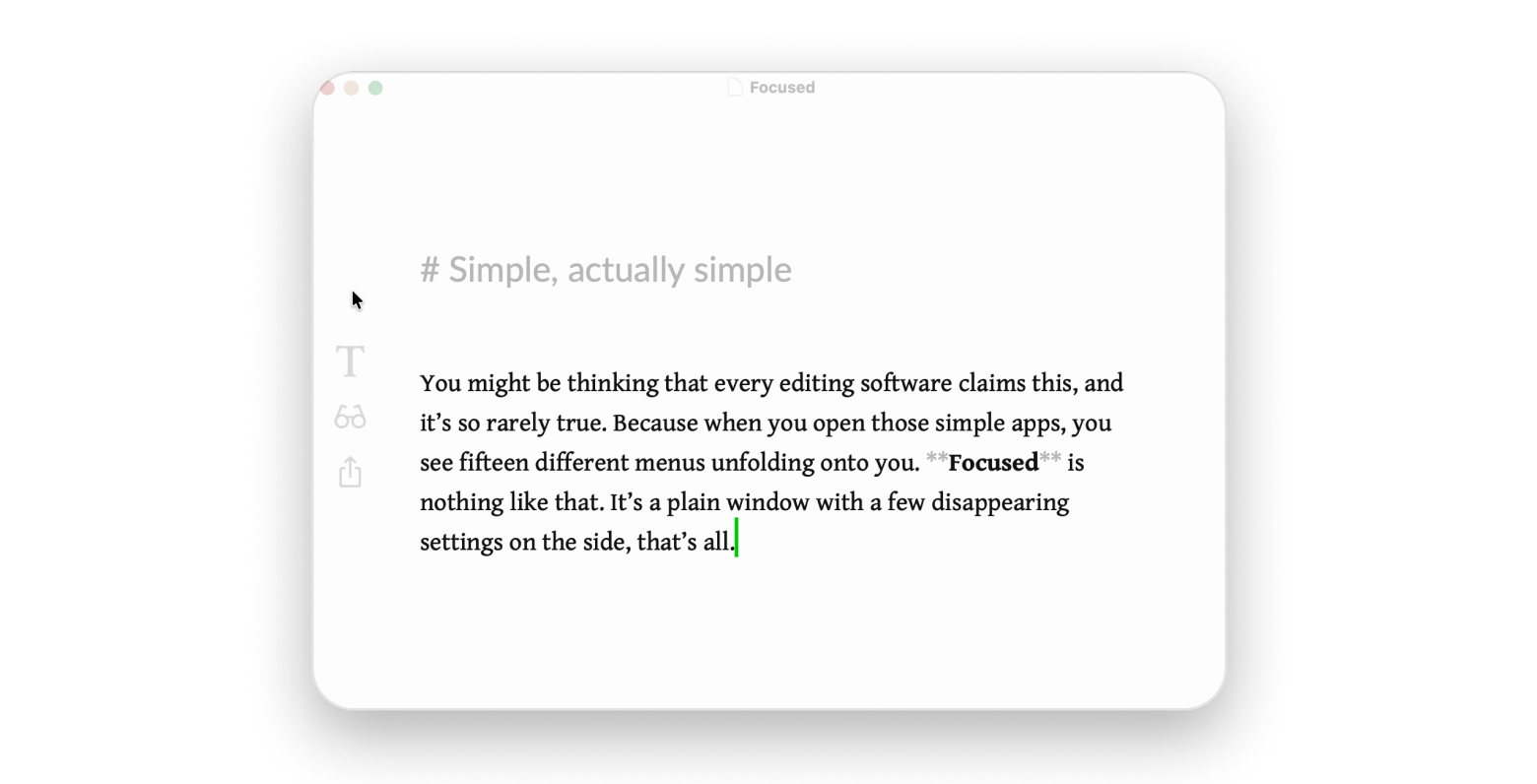
Focused takes minimalism seriously. Your screen becomes a blank canvas with just your words and cursor. The app includes ambient soundtracks and typography options that make long writing sessions more enjoyable. Besides, you can choose different themes to suit different times of day. To me, it feels just like meditation and really helps me concentrate on my writing.
Worth trying on your next long writing session — Focused is on Setapp, free for 7 days.
MarsEdit – best for offline blog editing and scheduling
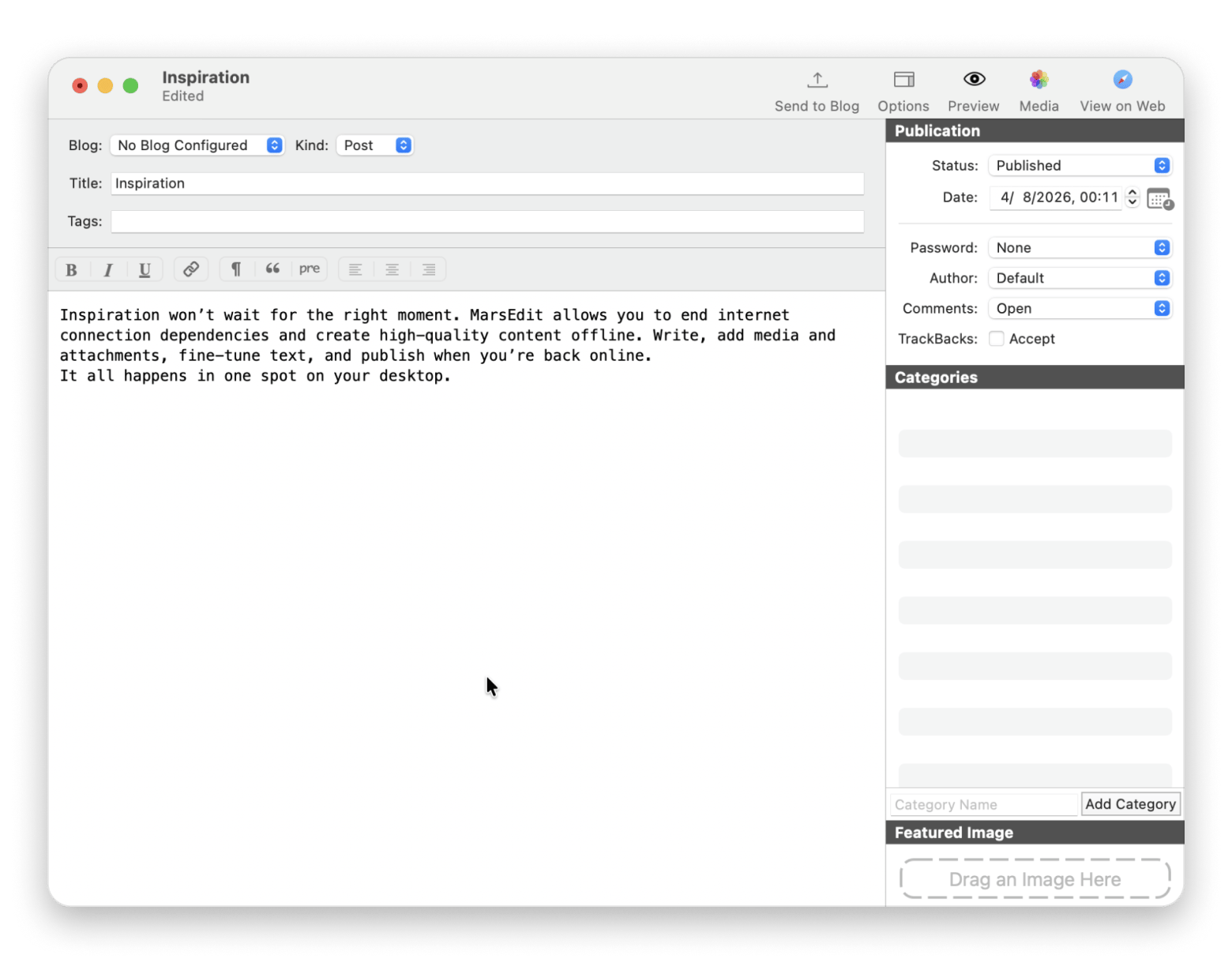
If you have an online blog, I highly recommend checking out MarsEdit. It brings your entire blogging workflow offline — you can write and format posts without an internet connection, then schedule uploads when you're back online. It supports rich text and HTML editing and works with all major blogging platforms. And since everything saves locally, you'll never lose work due to connection issues.
Title: Creating a new post in MarsEdit, an offline blog editing app available on Setapp
Diarly – best for daily journaling
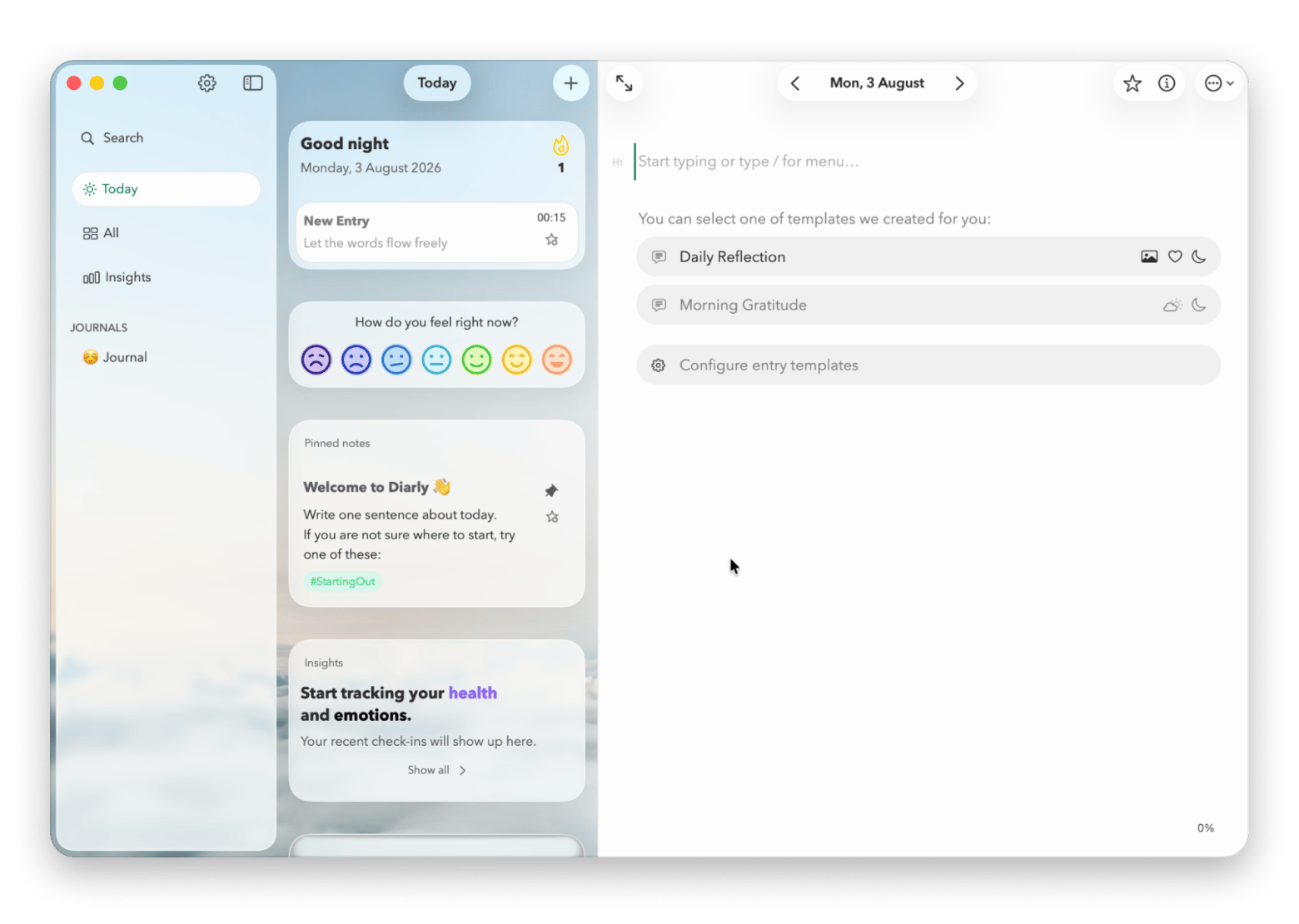
Diarly has become my absolute favorite journaling app. Not only do I love the gentle reminders and the beautiful templates, but I also appreciate the opportunity to organize my entries exactly the way I want them to look. I can add photos, lists, tags, basically creating a perfect diary for myself. Another cool thing about Diarly is that entries sync across devices while remaining encrypted.
Give Diarly a week through Setapp's free trial and see if it sticks — most people find it does.
Microsoft Word pricing and availability in 2026
Microsoft has updated its Office lineup significantly for 2026. According to Microsoft's official update history, the latest version requires macOS Sonoma or later as of September 2025.
The current Microsoft 365 subscription includes regular feature updates and works across Mac, iPad, and web browsers. Office 2024 offers a one-time purchase option but only receives security updates.
Students should check if their school provides Office 365 Education for free. Many universities include it with enrollment, giving you the full desktop suite at no cost.
Microsoft Word for free on Mac: Make your choice based on your needs
After testing all these options, here's my advice: start with Microsoft Word Online if you need occasional access. It handles basic editing perfectly and costs nothing.
For regular use, consider whether you need Word specifically or just a good writing tool. Craft and Ulysses often provide better writing experiences for Mac users.
If you absolutely need the desktop version of Word, the Microsoft 365 subscription at $99.99 per year provides the best value. You get regular updates, 1TB of cloud storage, and access across all your devices.
Still deciding between Word and something better suited to your Mac? Try Craft, Ulysses, Focused, MarsEdit, and Diarly free for 7 days with Setapp Membership: 270+ apps for one flat fee starting at $14.99 USD/mo + tax. Start your free Setapp trial.
FAQ
How much does Microsoft Word cost on Mac?
Microsoft 365 Personal costs $99.99 per year or $9.99 per month and includes Word, Excel, PowerPoint, and 1 TB of OneDrive storage. The one-time purchase Office Home 2024 costs $179.99 but doesn't include future features. Microsoft Word Online is completely free to use in your web browser with a Microsoft account.
Choose between Microsoft 365 (subscription) or Office 2024 (one-time).
Click Buy now and sign in to your Microsoft account.
Note: You'll need to sign in to your Microsoft account — or create one — before completing your purchase. One-time purchases don't include feature updates, only security patches.
What apps are similar to Microsoft Word on Mac?
Google Docs offers free online editing with excellent collaboration features. LibreOffice Writer provides a free desktop alternative with full .docx support. For Mac-specific options, Ulysses excels at distraction-free writing with Word export, while Craft combines note-taking with document creation.
Is Microsoft Office for Mac free?
Microsoft Office isn't entirely free for Mac, but you have several no-cost options. Use Microsoft Word Online for free in your browser, get Office 365 Education for free with a valid .edu email, or try the 30-day Microsoft 365 trial. The iPad version also offers basic Word features free for personal use.
Is there a non-subscription version of Microsoft Office for Mac?
Yes, Microsoft sells Office 2024 as a one-time purchase starting at $179.99 for the Home edition. This includes Word, Excel, PowerPoint, and OneNote for one Mac only. You won't get new features after purchase — only security updates. The subscription provides better long-term value for most users.
Powerful apps live on Setapp
Ditch defaults and discover new gems on one app platform.






 Best solution
 Best solution